
How to Integrate Access Control with CCTV & Alarm Systems
We see this all the time at Comnet: a building with solid access control, decent cameras, and a working alarm system, all running completely separately. Each one does its job, but none of them talks to each other. When something happens, your security team ends up pulling records from three different places and piecing together a timeline manually. That process is slow, and it is exactly where incidents slip through the cracks.
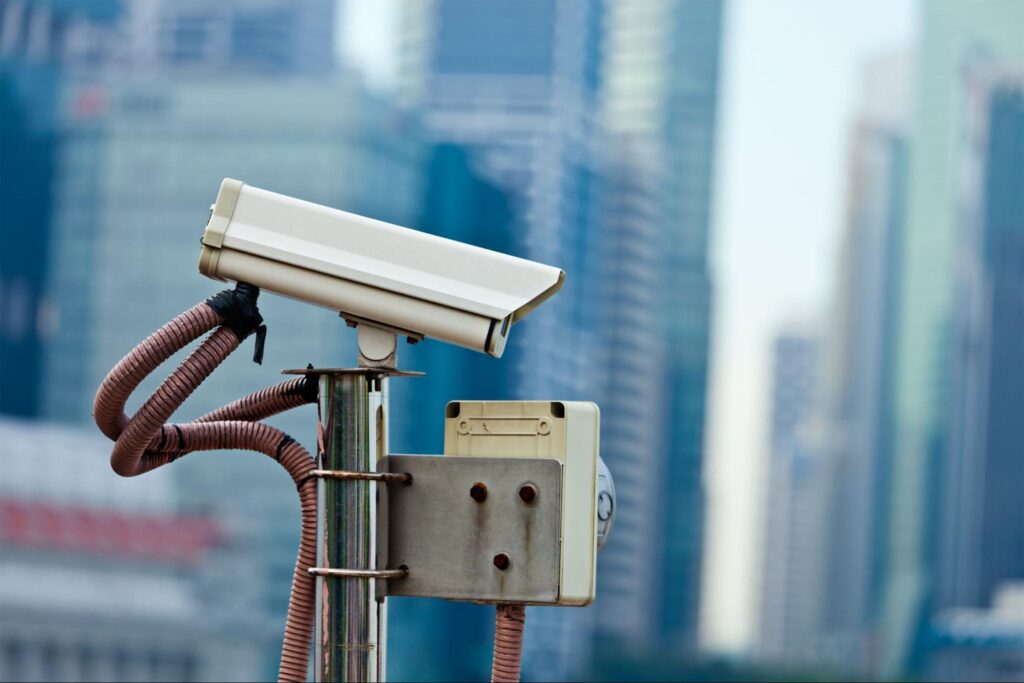
When you integrate all three, that changes. Access logs, camera footage, and alarm triggers all sit on the same timeline. You see what happened, who was there, and when, without jumping between platforms. That is what we help businesses and building managers set up across Singapore.
Why Running These Systems Separately Creates Security Gaps
Picture this: your access control panel logs that a door opened at 11:43 pm. That entry is in the system. But the log alone cannot tell you whether the right person badged in, whether someone borrowed a card, or whether the door was forced. It just says the door opened.
That is the gap CCTV fills. The camera at that entry point shows you the actual person. With integrated systems, you pull up the footage directly from the access event, timestamped and matched. Without integration, you are searching two separate systems and hoping the timestamps happen to line up.
Alarms complete the picture. If a door gets held open too long or a biometric check fails three times in a row, an integrated alarm fires automatically. Your team gets notified right then, not the next morning during log review.
What CCTV Adds to Your Access Control
Cameras at entry and exit points do two things when they are properly integrated. First, every badge-in gets a visual record attached to it. When your security team reviews an access event, the footage is right there. No separate search, no manual cross-referencing.
Second, cameras change how people behave. Staff and visitors act differently when they know cameras are recording at every controlled entry point. Tailgating, card sharing, and similar violations become much easier to catch and address when footage is tied directly to specific access events.
If your organisation operates in healthcare, finance, or runs a data centre, this pairing also supports regulatory compliance. You need to show who accessed which area and when. An integrated system builds that record automatically, without anyone having to compile it manually.
How Alarms Turn Your System from Passive to Active
Think of access control and CCTV as recorders. They capture what happens. Alarm systems are different: they act. The moment an access rule gets violated, an integrated alarm does not wait for someone to notice. It triggers immediately and starts a response, whether that is locking adjacent security door access control systems, alerting a security contact, or activating additional cameras.
That speed matters more than most people realise. A break-in at 3 am on a Sunday plays out very differently depending on whether your alarm fires the moment it happens or gets spotted in a Monday morning review.
Integration also helps you deal with false alarms more intelligently. When your alarm is tied to access control events and camera feeds, your team can verify a trigger in seconds before escalating. A system glitch looks very different from an actual breach. Giving your team that context stops alarm fatigue from creeping in and making people ignore alerts altogether.
What Your System Can Handle Automatically
Once your systems are properly integrated, a lot of routine security work runs on its own. Access events trigger recording. Violations trigger alarms. Camera feeds route to the right operators based on where the event happened. Nobody needs to manually connect the dots between systems.
You also get real-time control over permissions. When a staff member leaves, you revoke their access across every entry point at once, rather than logging into each panel individually. If you need a door locked between 7 pm and 7 am, you set that rule once, and the system enforces it every day without anyone remembering to do it.
That consistency is the real value of automation. It removes the human error that creeps into manual security operations and gives you a complete, auditable record of exactly how your system responded to every event.

Here is something we tell every client: the
Why Your ELV Infrastructure Determines Whether Integration Actually Works
technology is only as good as the infrastructure carrying it. Your access control panels, IP cameras, and alarm devices all need to communicate reliably with each other and with the central management platform. Structured cabling and solid network design are what make that possible.
Weak cabling creates latency. In a security setup, a camera feed that buffers at the wrong moment or an alert that arrives 30 seconds late is not a minor inconvenience. It is a gap in your protection. Good ELV cabling keeps data moving at the speed the system actually needs.
Getting the network design right also means you can grow without starting over. We build ELV infrastructure that lets you add entry points, expand camera coverage, or bring in new alarm zones later, without ripping out and redoing the cabling underneath. That planning happens at the start of every project we do, not as an add-on at the end.
What Goes Into an Integrated Security Setup
- Access control panels, readers, and biometric devices
- IP cameras with centralised recording and remote access
- Alarm sensors, controllers, and notification systems
- Structured ELV cabling and network switching
- Central security management software with a unified dashboard
How the Three Systems Work Together
| System Component | Main Function | Integration Value |
| Access Control | Manages who enters and when | Controlled, auditable access |
| CCTV | Records all entry and exit activity | Visual confirmation of incidents |
| Alarm System | Triggers alerts on violations | Faster response, less escalation |
| Central Software | Ties all systems together | Single-pane management |
Biometrics: Tying Access to the Person, Not the Card
Cards get shared. They get lost. They get cloned. Biometric authentication fixes that by tying access to the actual person: their fingerprint, their face, their iris. You cannot lend those to a colleague or leave them behind in a jacket pocket.
In an integrated setup, failed biometric attempts do not just get logged and forgotten. If facial recognition fails repeatedly at an entry point, the camera captures that activity, the alarm system responds, and your security team receives an alert with the footage already attached. You find out while it is happening, not the next day.
For your highest-security areas, server rooms, pharmaceutical storage, and executive floors, you can layer biometrics on top of card access or PIN. Both factors need to pass before the door opens. That two-step requirement makes unauthorised access significantly harder to pull off.
Staying on the Right Side of the PDPA
When you integrate these systems, you start collecting a lot of personal data: biometric records, CCTV footage of identifiable individuals, and detailed access histories. All of that falls under Singapore’s Personal Data Protection Act. You need to build compliance into how the system works, not treat it as a checkbox to tick later.
In practice, that means restricting who can pull footage and access logs. Not everyone on your team needs that access. Set retention periods for how long you keep recordings and enforce them. Lock down the system itself so accessing it requires proper authentication, and make sure your storage is secure.
Run regular audits of who accessed what data and when. Staff change, systems expand, and your compliance picture changes with them. This needs active management, not a one-time setup.
What We Get Right Before Any Equipment Gets Ordered
Most integration problems we get called in to fix share one root cause: someone chose the equipment before doing the planning. Camera positions, access point locations, and alarm zones all need to be mapped against your actual building layout and real risk areas first. Hardware decisions come after that.
System compatibility catches people off guard, too. Not every access control platform talks natively to every CCTV or alarm system. Sometimes middleware or API work is needed. Discovering that at the design stage costs you time. Discovering it after installation costs you a lot more.
Before we recommend anything, we carry out a full site assessment: entry point mapping, camera coverage analysis, cabling feasibility, and a review of whatever existing systems need to be folded into the new setup. That groundwork is what keeps the project on track from start to finish.
Installation and Testing: Where the Details Actually Matter
Where you mount your devices matters more than most people expect. A camera placed a few degrees off misses the face entirely. An access reader installed where direct sunlight hits it produces biometric failure rates that look like user error, but are really an access control system installation problem. Getting placement right is part of the job, not an afterthought.
Configuration is where the actual integration happens. Your systems need to share event data, trigger the right responses, and route alerts to the right people. That requires someone who understands both the individual devices and how the central platform expects to receive information from each of them.
We test everything before handover under realistic conditions. Alarm triggers, recording events, access denials, and lockdown sequences. If something does not behave the way it should, we find it and fix it at this stage. Fixing it after the client takes over the system is always harder and more disruptive.
Keeping Your System in Shape After It Goes Live
Integrated systems do not fail loudly. A camera goes offline and gets noted on a report that no one follows up on. An alarm sensor with a dying battery starts generating false alerts so often that someone mutes it. Access logs stop syncing after a software update, and nobody notices for weeks. By the time the system is actually needed, it is not performing the way anyone thought it was.
Scheduled maintenance catches that before it matters. Camera feeds, alarm sensor status, panel connectivity, software versions, all of it needs regular review. Firmware updates matter here too, especially for network-connected devices where unpatched vulnerabilities are a real exposure.
We offer maintenance agreements for every system we install at Comnet. Regular visits keep your infrastructure performing at the standard it was built to, rather than quietly degrading until something goes wrong at the worst possible moment.
Building Something You Will Not Have to Replace in Three Years
A security system that needs a full replacement every time your organisation changes is a poor investment. We build on integration platforms that support modular expansion, so when you add a new floor, a new entry point, or a new facility, you extend what is already there rather than starting over.
Vendor lock-in is worth watching out for. Proprietary systems from a single supplier look tidy until that supplier changes their pricing, discontinues a product line, or does not support the new hardware you need. Open standards and API support give you real flexibility when your needs evolve.
Scalability planning is not about predicting every requirement you might have in five years. It is about making sure the choices you make now do not make those future changes unnecessarily painful.
Ready to Connect Your Systems?
Running smart access control system, CCTV, and alarms as separate systems leaves gaps that only show up after something goes wrong. Integrating them means events get correlated automatically, alerts go out in real time, and your team can close an investigation in minutes instead of hours.
We have delivered integrated ELV and security infrastructure projects across Singapore for businesses of all sizes. If you are planning an integration project or want a second opinion on an existing setup, reach out to us at Comnet, and we will walk through what your environment actually needs.
Related Articles:

Smart Access Control System Features That Singapore Offices Actually Need
If you’re looking to upgrade the security of your office, it’s easy to get lost in long lists of...
Access Control System Pre-Installation Planning: Essential Requirements Checklist
A smart access control system is a major element of contemporary building and office security. It...

Complete Guide to Access Control System Installation: Planning, Implementation & Best Practices
Businesses and property owners looking to enhance security, manage access, or meet regulatory...

Singapore Office (HQ)
| Comnet Systems Pte Ltd | ||
| Address: | Block 1002 Jalan Bukit Merah #07-01/03 Singapore 159456 |
|
| Main: | +(65) 6272 3383 Click to Call | |
| Support: | Tech@Comnet.sg | |
| Enquiry: | Sales@Comnet.sg |
Philippines Office
| Comnet Systems Integration Inc. | ||
| Address: | Unit 6G , CBC Corporate Center, 724 Shaw Blvd, City of Mandaluyong, Second District, NCR, Philippines, 1555 |
|
| Main: | +63 2 85247088 Click to Call | |
| Support: | general@comnet.ph |
