
How to Choose the Right UPS Capacity for Your Business
We understand here at Comnet that every business in Singapore relies on uninterrupted power in order to stay in operation without any issue. Power disruptions, short spikes or extended outages can mean costly downtime, equipment failure, or worse, data loss of valuable information. That is where the proper uninterruptible power supply (UPS) makes the difference.
As an experienced UPS company in Singapore, we specialize in consulting businesses on the amount of UPS capacity they need for their business requirements. In this article, we will guide you through how to calculate and select the proper UPS system that protects your business equipment, keeps uptime levels intact, and gives you peace of mind.
Why UPS Capacity Matters
Picking the right UPS capacity isn’t just about having a backup battery. It’s about making sure your system can keep your business running if the power goes out. If the UPS is too small, it won’t support your needs, and if it’s too big, you’ll end up spending more than necessary and wasting energy. A good UPS capacity guide helps you find the right balance between protection, efficiency, and cost.
Step 1: Identify Your Equipment
The first part of how to choose UPS capacity is to put down all the gear you will be connecting. It may include:
- Servers and workstations
- Networking devices like routers, modems, and switches
- Storage devices like external drives and NAS systems
- Telecom equipment
- Basic office equipment like printers or POS systems
At Comnet, our professionals regularly carry out on-site surveys for businesses so that they can identify major pieces of equipment that require protection. Through this means, no critical machinery is left unprotected.
Step 2: Calculate Total Power Requirements
After you’ve got your devices listed, you need to figure out their overall power demand. The power capacities of gear are generally expressed in watts (W) or volt-amperes (VA). Since UPSs are measured in VA, convert watts to VA if necessary (VA = W ÷ Power Factor, usually 0.7).
Example:
- Desktop computer = 300W (≈ 428 VA)
- Router = 50W (≈ 71 VA)
- Server = 500W (≈ 714 VA)
If your total is 1,213 VA, you’ll need a higher rated UPS, typically at least 1,500 VA to provide a buffer. We at Comnet provide you with a personalized UPS capacity chart so you won’t over- or under-estimate your needs.
Step 3: Consider Uptime Requirements
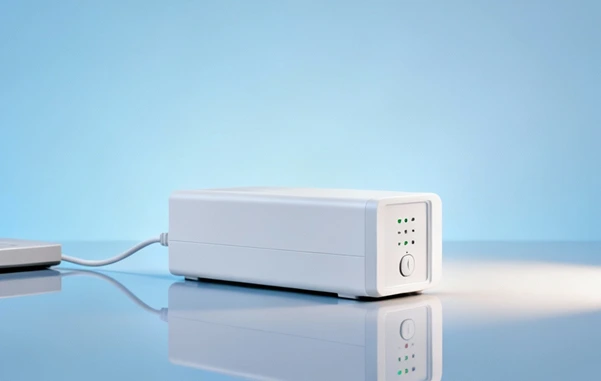
A white backup battery power supply, illustrating the importance of considering uptime requirements when choosing a UPS
Not all businesses accept downtime alike. Some may be able to manage a few minutes of backup power—long enough to make machinery shut down gracefully, whereas others may need hours of up time to sustain critical operations.
A quick guide follows:
- Small offices: 10–20 minutes backup should be okay.
- Home offices: 20–30 minutes to shut down work and machines.
- Small businesses with servers: 1–2 hours may be needed.
- Mission-critical applications (finance, healthcare, data centers): extended uptime with modular UPS systems.
Being a trusted Singapore UPS supplier, we customize solutions in terms of whether your business needs short-term protection or long-term continuity.
Step 4: Plan for Future Growth
The other error that businesses make is choosing a UPS that would meet only their immediate requirements. When your business grows, you will need more devices, servers, or network equipment to include. Therefore, we recommend including a minimum of 20–25% additional capacity in your plans. Your UPS system will still work great even as your infrastructure expands this way.
Step 5: Work with Experts
While guides are a great place to begin, professional guidance makes a huge difference. Here at Comnet, we combine technical know-how with years of experience helping businesses in Singapore. We analyze not only your power requirements but also your environment, i.e., server room conditions, cabling, and IT expansion plans in the future. This way, you are given a solution that’s scalable, cost-efficient, and robust.
Top Tips When Choosing a UPS
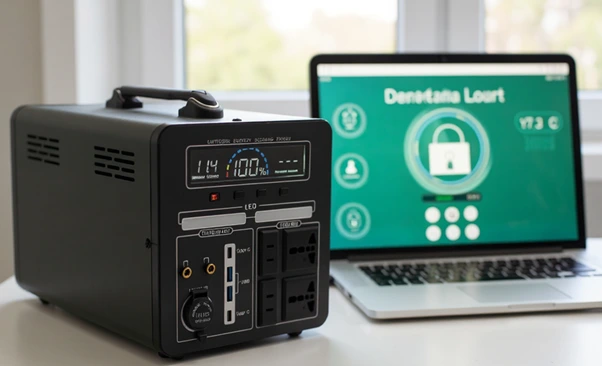
A professional UPS system with a laptop, demonstrating the need to work with experts when choosing a power solution.
In arriving at a choice of how to calculate UPS capacity for your company, consider the following best practices:
- Check Compatibility: Ensure your UPS is compatible with your electrical equipment and system.
- Ensure Scalability: Modular UPS systems allow you to increase capacity with your expanding business.
- Prioritize Efficiency: Efficient UPS devices return the money to you in energy dollars in the long run.
- Test Occasionally: Conduct regular UPS testing to ensure the system works during actual outages.
- Work with Experts: Consulting with a certified UPS company in Singapore ensures you do not spend money on mistakes.
Why Choose Comnet?
At Comnet, we do not just sell UPS systems, we provide comprehensive power protection solutions. Our technical experts offer personalized consultations, accurate load measurement, and installation that ensures your UPS performs just as you need it to. With years of experience offering IT infrastructure and power supply management, we are Singapore’s leading UPS provider for small and big corporations.
Irrespective of your requirement for a min UPS for your home office or enterprise level, our customized UPS capacity guide will assist you in making the most profitable investment.
Making the Right Choice for Your Business
The selection of a proper UPS capacity for your business is ensuring your equipment to be safe, your data to be secure, and operation to be uninterrupted. Proper power requirement calculations, including factoring in uptime requirements as well, and growth and planning for it can all assist you in making an effective decision. We make it affordable at Comnet, making it viable and accessible with our expertise as a leading UPS supplier in Singapore. Let us help you to select the right UPS system that will meet your business needs now and grow with you in the future.
Related Articles:
A Comprehensive Guide to Choosing the Right UPS
In today’s digital age, where our reliance on electronic devices is ever-growing, ensuring a...
How to Choose the Right UPS for Your Needs
In the modern age, where our reliance on electronic devices is ever-growing, ensuring a continuous...
5 Types of Common Uninterruptible Power Supplies in Singapore
Introducing the UPS A UPS is a device that provides emergency power to a load (such as a computer,...

Singapore Office (HQ)
| Comnet Systems Pte Ltd | ||
| Address: | Block 1002 Jalan Bukit Merah #07-01/03 Singapore 159456 |
|
| Main: | +(65) 6272 3383 Click to Call | |
| Support: | Tech@Comnet.sg | |
| Enquiry: | Sales@Comnet.sg |
Philippines Office
| Comnet Systems Integration Inc. | ||
| Address: | Unit 6G , CBC Corporate Center, 724 Shaw Blvd, City of Mandaluyong, Second District, NCR, Philippines, 1555 |
|
| Main: | +63 2 85247088 Click to Call | |
| Support: | general@comnet.ph |
